
About
The desktop icon editor, rebuilt for the browser
IconEditor was made by a developer who has shipped Windows software for close to thirty years and got tired of web tools that only convert. It brings the ideas of the classic professional icon editors to a browser tab: simple to pick up, quick to use, complete enough to replace a desktop program.
Why
Why I built it
A note from the developer behind IconEditor.
I have been writing software for almost thirty years, and for most of that time I have needed icons for Windows applications — again and again, for every utility, tool and release. The desktop icon editors I used twenty years ago were genuinely good at this: a multi-size document, a pixel grid you could correct by hand, a preview of how the icon would look in the shell. They were also heavy, paid, and tied to one machine.
When I switched to web tools, nearly every one turned out to be a format converter in disguise: upload a PNG, download an .ico, hope the 16-pixel version is still legible. Most had no real answer for SVG either — and SVG is what logos are actually drawn in today.
So I built the tool I wanted to use. IconEditor keeps what those professional editors got right — one canvas per size, real drawing tools on the pixel grid, a Windows-context preview, a spec-compliant .ICO — and delivers it as a web app that is simple to pick up, quick to use, and complete enough to stand in for the desktop programs of the last twenty years. It is free, needs no account, imports SVG properly, and keeps your work in your own browser.
It is aimed at the people who ship Windows software — WinForms and WPF utilities, C++ tools, Electron and Tauri apps — and at anyone who needs a favicon that still looks sharp in a browser tab.
How it works
Six things the editor does for you
One canvas per size
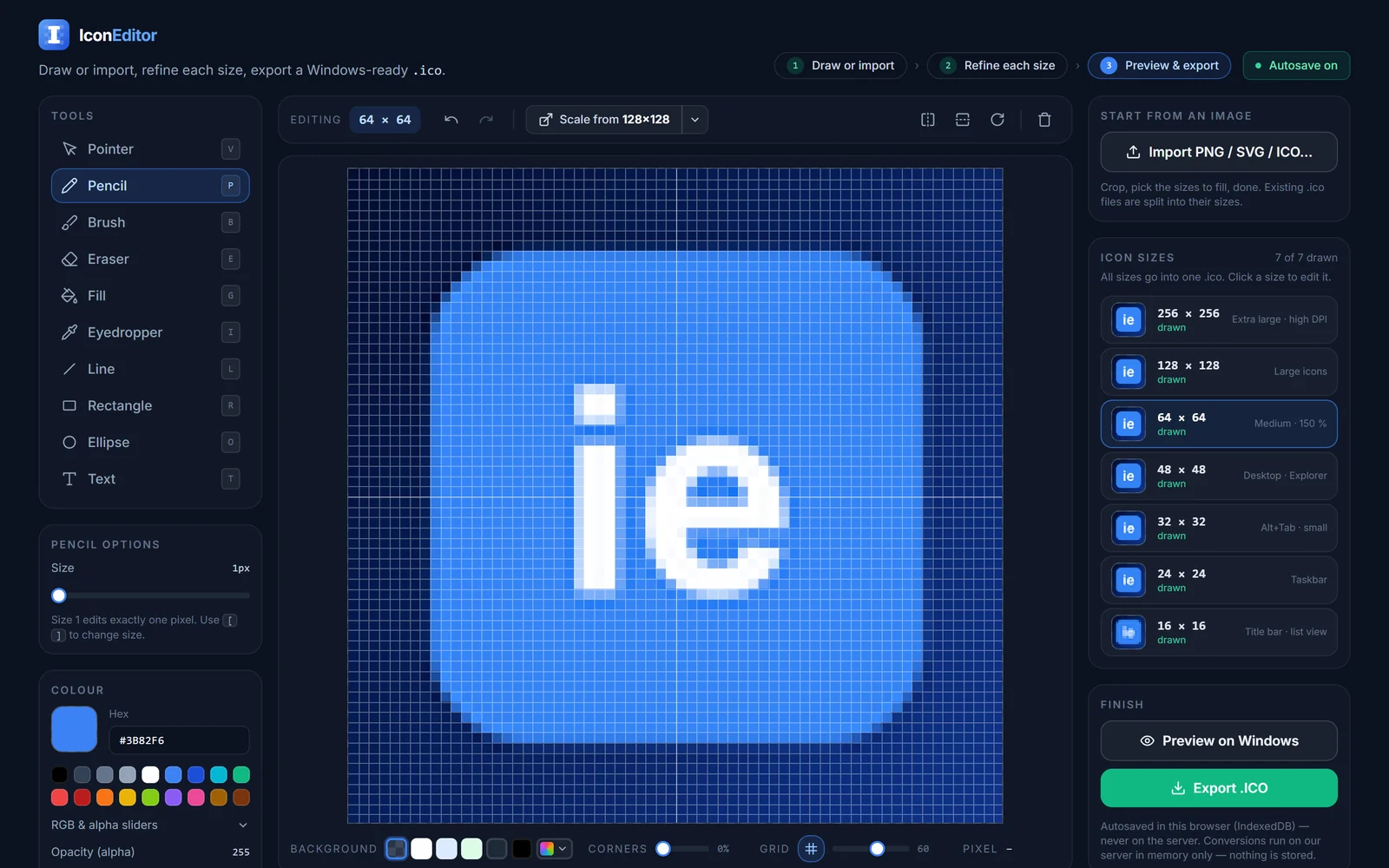
Each icon size (256, 128, 64, 48, 32, 24, 16 px) is its own 32-bit RGBA canvas with its own undo history.
Pixel-grid tools
Drawing tools work on the pixel grid; brush and eraser support soft edges, shapes have crisp outlines.
Import anything, scale it well
Every common raster format, SVG and existing .ICO files can be imported; sizes are derived with high-quality Lanczos resampling, or point sampling for pixel art.
Spec-compliant .ICO
The exported file contains a PNG-compressed 256×256 entry and 32-bit BMP entries with alpha for the rest — what Windows Vista through 11 expect.
Works offline too
If our server cannot be reached, the editor decodes and encodes icons on its own, so you can still import and export.
Nothing stored
Images are processed in memory and discarded; nothing is written to the server. Your drawing is kept in your own browser between visits.
Design
Built small on purpose
IconEditor is one fast-loading page that works in any modern browser — nothing to install, no plug-ins, no account. Drawing happens entirely on your own machine; only importing, scaling and exporting touch our server, and only for the moment it takes to convert the image.
No third-party scripts, fonts or trackers are loaded from other domains: the typeface is self-hosted and the editor talks to nobody but us.
At a glance
The essentials
- Price
- Free
- Account
- Not required
- Sizes
- 256 → 16 px
- Output
- .ICO · PNG · ZIP
- Input
- PNG · JPG · SVG · WebP · BMP · GIF · ICO
- Storage
- None on server
Questions, bugs or ideas?
Write to [email protected] — or just open the editor and export your first .ico in minutes.