
Free online converter
ICO to PNG: extract every size of an icon as a transparent PNG
Open any .ico or .cur file, see exactly which sizes it contains, and download one size as a PNG — or all of them in a ZIP. Alpha is kept, nothing is stored, and you can touch the result up before you export.
How it works
Convert ICO to PNG in three steps
Less than a minute. The .ico is read in your session; nothing is kept afterwards.
-
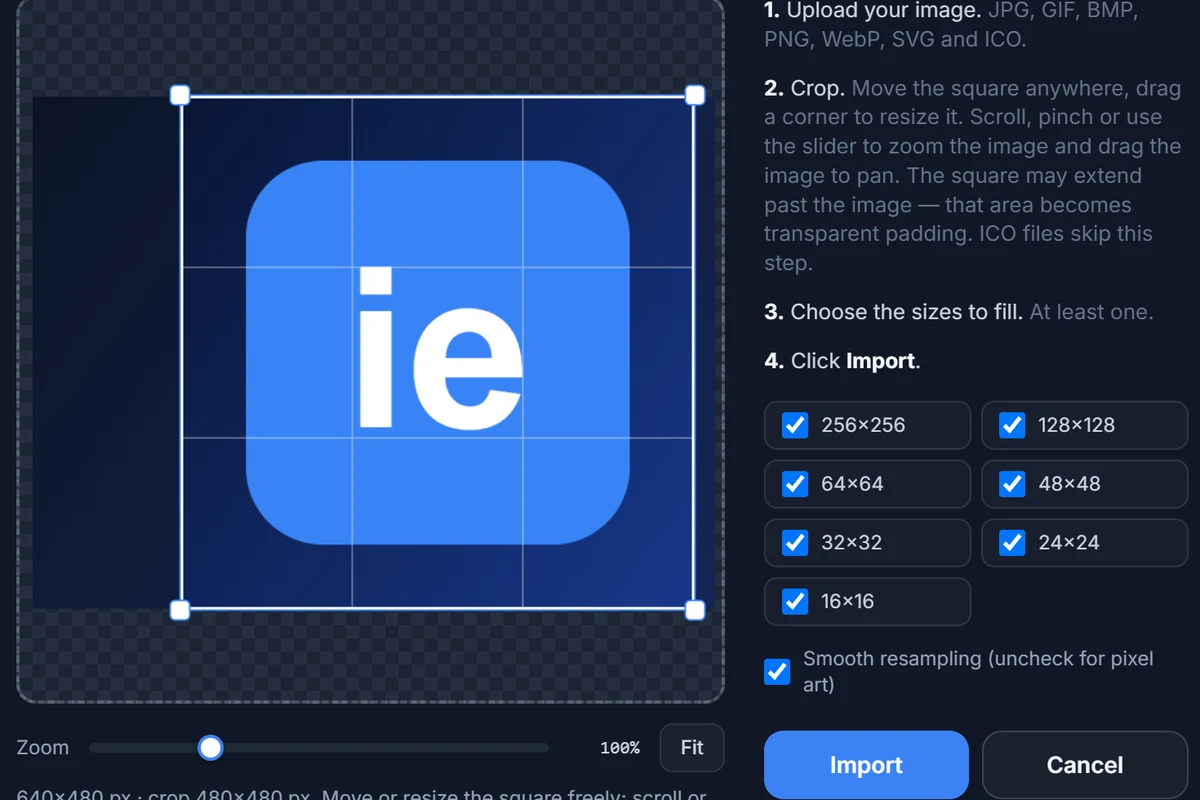 01
Import the .ico
Press Import in the editor or drop the file onto the page. The dialog tells you how many images the file holds and at which sizes.
-
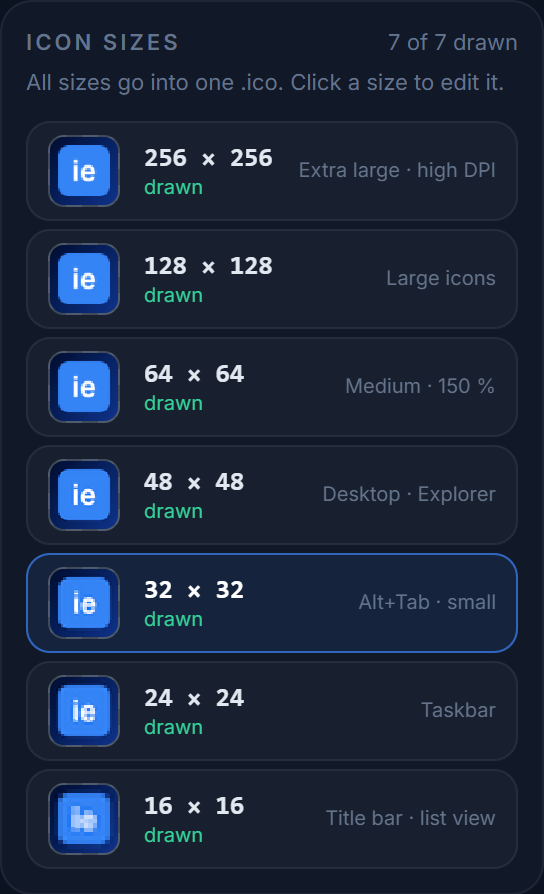 02
Tick the real sizes
Matching sizes are copied exactly; the rest would be scaled from the largest image. Untick what the file does not contain, then click Import.
-
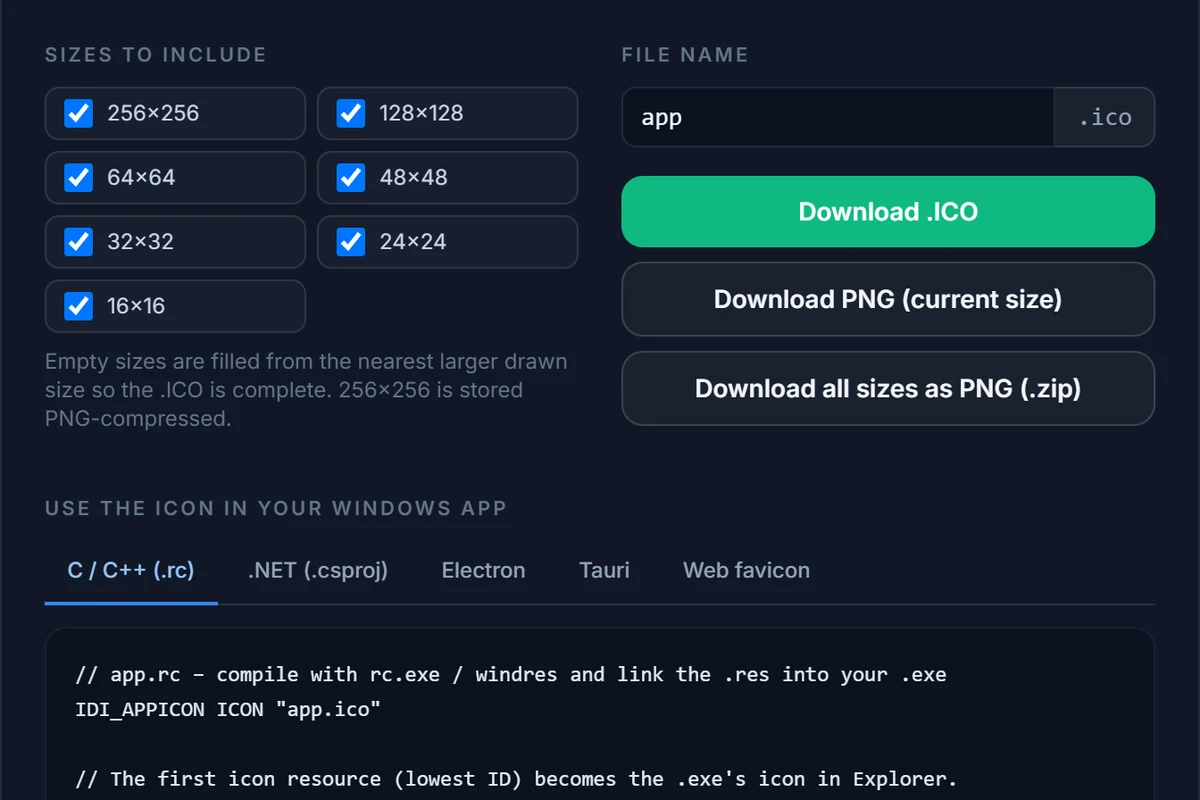 03
Download the PNG
Open Export. Take Download PNG for the size on screen, or Download all sizes as PNG (.zip) for one file per ticked size.
What you get
A PNG per size, with the alpha channel intact
An .ico is a bundle of bitmaps. Opening it here unpacks the bundle into editable sizes.
| Export button | Result | File name |
|---|---|---|
| Download PNG (current size) | One PNG at the size shown above the canvas (256, 128, 64, 48, 32, 24 or 16 px) | app-48.png |
| Download all sizes as PNG (.zip) | A ZIP with one PNG for every size ticked in the dialog | app-png.zip containing app-256x256.png, app-48x48.png, … |
| Download .ICO | Writes the icon back out as a multi-size .ico, after any edits | app.ico |
Change the file name in the dialog (the default is app) and the download names follow. Each PNG is a straight copy of the pixels in that slot, so a 32 px entry comes out as a 32 × 32 PNG, not as an enlarged one.
Transparency
Icons made since Windows XP carry an 8-bit alpha channel, and so does the PNG you export. If you set a Background colour or Corners under the canvas, those are part of the exported image — pick the checkerboard swatch for a fully transparent PNG.
What is inside an .ico
An .ico is not one picture but a small archive: a directory that lists every image, followed by the images themselves. Each entry has its own pixel size and is stored either as a classic bitmap (BMP) with an alpha channel or, for 256 px, as a compressed PNG. Windows picks the entry that is closest to the size it needs, which is why a well-made icon carries 16, 24, 32, 48 and 256 px at least. Opening the file here shows that directory as the size list on the right: filled slots are images found in the file, empty slots are sizes it does not have.
Edit before you export
Because the .ico opens in a full editor, you are not limited to a plain extraction. Clean up a stray pixel with the pencil, erase a background with the eraser, put the artwork on a coloured rounded tile with Background and Corners, or redraw the 16 px entry, and then export the PNGs — or write the changed icon back out as a new .ico. For a quick look at what an icon file contains you can simply import it and close the page; the file is decoded in memory and never stored.
Sizes the file does not contain
The editor works with seven fixed slots: 256, 128, 64, 48, 32, 24 and 16 px. Frames in those sizes are copied exactly. Frames with other sizes (some old icons use 20, 40 or 96 px) have no slot of their own and are not exported as separate files. A ticked slot with no matching frame is scaled from the largest image in the file — a sharp reduction is fine, a big enlargement is not. The import dialog lists what it found, so untick the slots you do not want; unticked slots stay empty.
Why people do it
Where an extracted PNG is useful
Documentation and screenshots
Word, Markdown, Confluence and slide decks show a PNG; they do not render an .ico. Take the 256 px entry for a crisp picture.
App stores and web manifests
Many stores and a PWA manifest ask for PNG icons. Export the largest size as a starting point (then resize with an image tool if you need 512 px or more).
Rebuilding a lost source file
An old project has only app.ico? Export the 256 px PNG, redraw or clean it up in an image editor and convert it back to ICO.
Checking what is inside
Not sure which sizes an .ico really has? Import it: the info line and the size list show every entry, and a missing one is marked empty.
How do I convert an ICO to PNG?
Open the editor, press Import and choose the .ico file. Pick a size in the right-hand panel, press Export and click Download PNG (current size). To get every size at once, click Download all sizes as PNG (.zip) instead.
Is the PNG transparent?
Yes. Every entry of a modern .ico carries an 8-bit alpha channel and the PNG keeps it. The editor shows the icon on a checkerboard, and the PNG export is transparent unless you set a Background colour under the canvas — in which case that colour is included.
Which PNG sizes can I get?
The seven sizes the editor works with: 256, 128, 64, 48, 32, 24 and 16 px. A size the .ico actually contains is copied pixel for pixel. A size it does not contain is scaled from the largest image in the file, which is fine for going down (256 to 48) but cannot add detail when going up (32 to 256).
The .ico I opened only has 16 and 32 px. Can I still get a 256 px PNG?
You can export one, but it will be a 32 px picture enlarged eight times, so it will look soft. Untick the sizes the file does not contain and use the PNGs you really have. If you need a large version, redraw or re-source the artwork and use the .ico only as a reference.
Can I convert a favicon.ico from a website to PNG?
Yes. Save the site’s favicon.ico (it is usually at /favicon.ico) and import it like any other .ico. Favicons typically hold 16, 32 and 48 px entries, so those are the PNGs you will get at full quality.
Can I get the icon out of an .exe or .dll?
Not directly. IconEditor reads .ico and .cur files, not executables. Use a resource extractor to save the icon as an .ico first, then open that file here.
Can I convert ICO to JPG, WebP or SVG?
The editor exports PNG, a ZIP of PNGs and .ico. For JPG or WebP, convert the downloaded PNG with any image tool (JPG has no transparency, so pick a background colour). ICO to SVG is not possible faithfully, because an .ico stores pixels rather than shapes.
Is my icon uploaded or stored?
The file is decoded in memory on our server and returned to your browser; it is not written to disk or kept. Your work-in-progress is saved only in your own browser. See the privacy policy.
Related
Other conversions
Open your .ico now
The editor opens with the import dialog ready. Free, in your browser, nothing installed and nothing stored.