
Free online converter
ICO converter: turn any image into a Windows .ico
Turn a PNG, JPG, WebP, GIF, BMP or SVG into a Windows .ico that holds every size Windows asks for — or open an existing .ico and export its sizes as PNG. Transparent, private, free, and you can fix each size by hand before you download.
Formats
What goes in, what comes out
One converter, several directions. Everything the browser or ImageMagick can read goes in; an .ICO, a PNG or a ZIP of PNGs comes out.
| You have | You get | Notes |
|---|---|---|
| PNG | .ICO | The standard case. Transparency is kept in every size. See the PNG to ICO guide. |
| JPG / JPEG | .ICO | No alpha channel, so the icon is a full square until you erase the background or add rounded corners. |
| WebP | .ICO | Alpha is kept. Handy because many sites now serve their logos as WebP only. |
| SVG | .ICO | Rasterised at 1024 px on import, so the 256 px entry is as sharp as the vector. |
| GIF · BMP | .ICO | Both work like a PNG. A GIF uses its first frame. |
| .ICO · .CUR | .ICO · PNG · ZIP | Existing icons open with every size in its own slot. Details on the ICO to PNG page. |
| Nothing — draw it | .ICO · PNG · ZIP | Skip the upload and draw on the 256 px canvas with the pixel tools. |
Other formats that ImageMagick can decode (TIFF, AVIF, PSD and similar) are accepted on a best-effort basis: if the server can read the file you get its first or flattened frame, and if it cannot, the import dialog tells you so.
What it does not do
The output side is deliberately narrow. IconEditor writes Windows .ICO, PNG and ZIP of PNGs. It does not write SVG, JPG, WebP, GIF, or macOS .icns, and it converts one image at a time, with no batch mode. If you need one of those formats, export a PNG and take it from there.
How it works
Convert an image to ICO in three steps
The flow is the same for every input format, and it takes about two minutes.
-
 01
Open the file
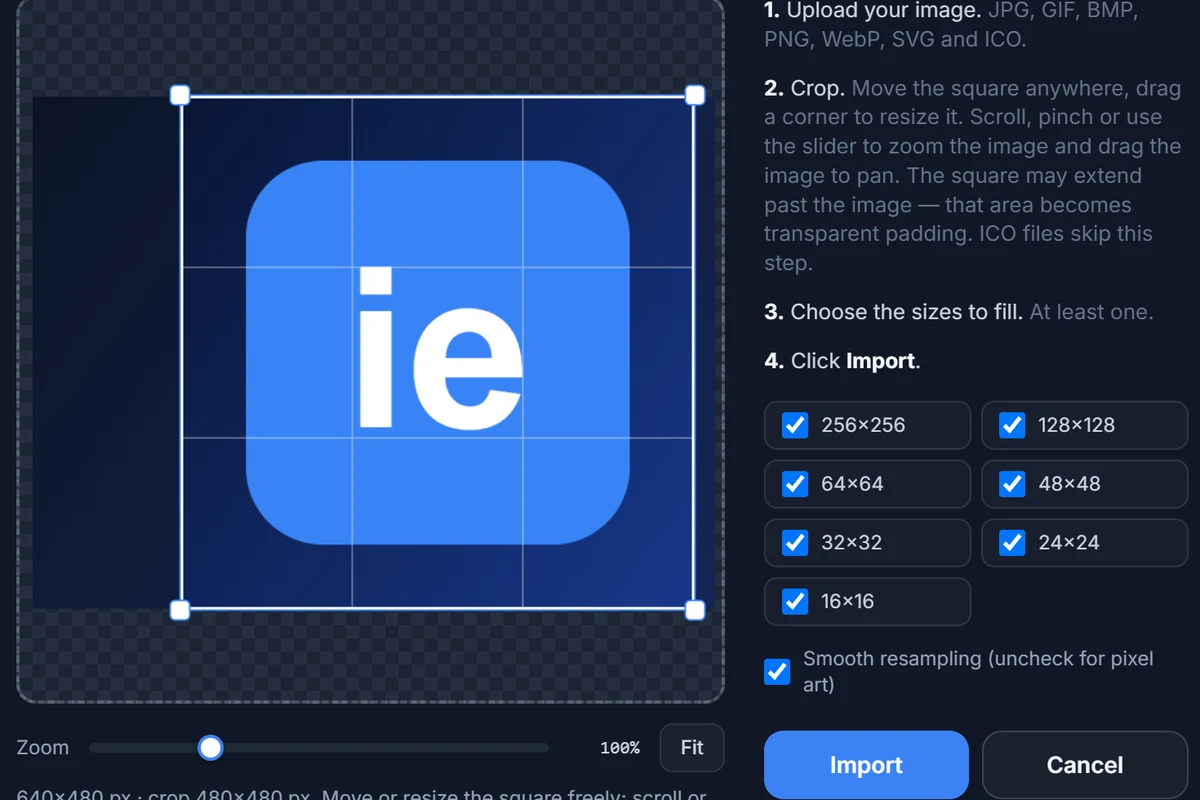
Click Convert an image to ICO, or open the editor and press Import. You can also drop a file anywhere on the page or paste an image with Ctrl+V.
-
 02
Crop and choose sizes
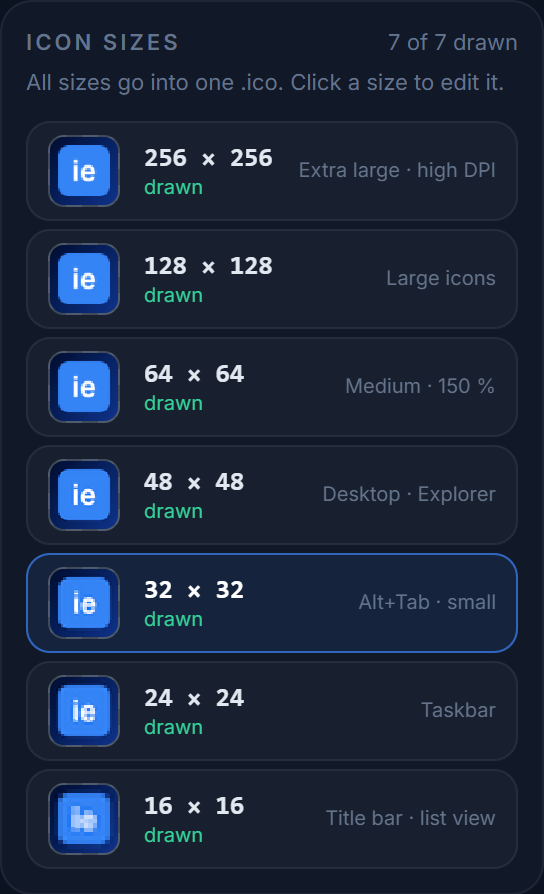
Drag the square frame over the part you want, tick the sizes to generate and click Import. Uncheck Smooth resampling for pixel art.
-
 03
Download the .ICO
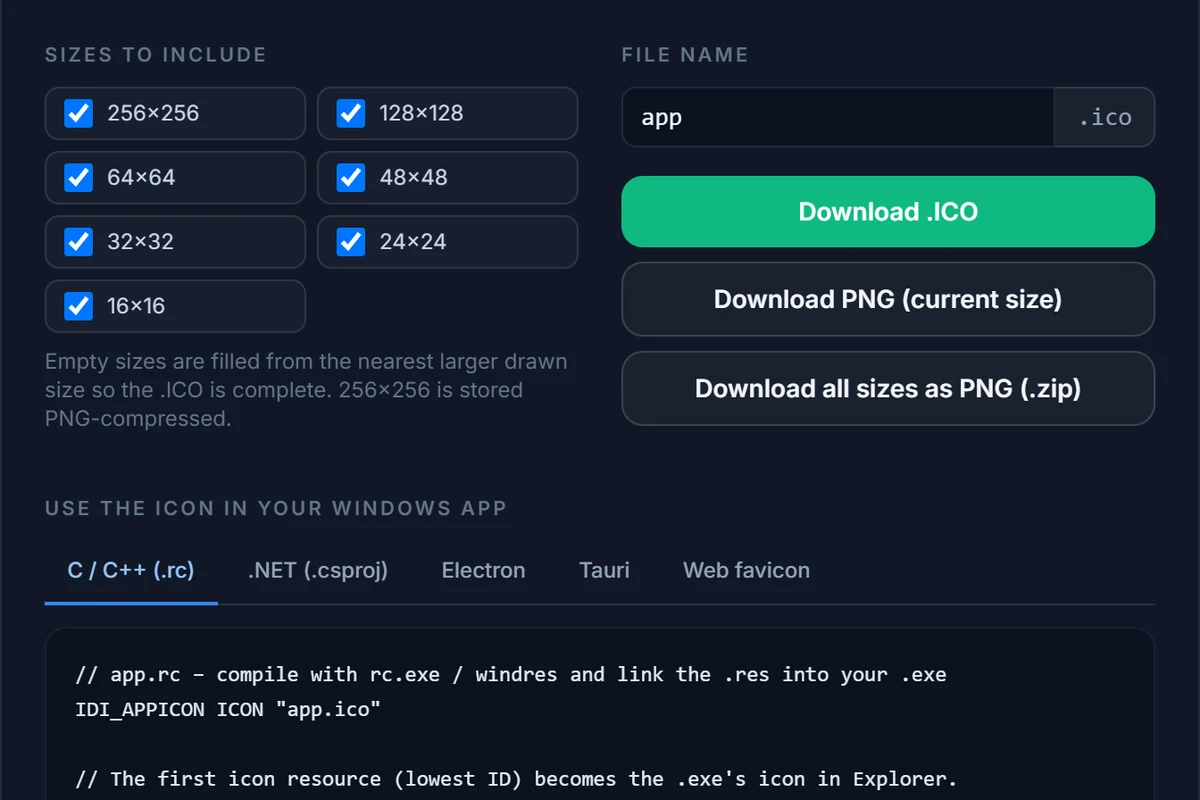
Check the small sizes on the pixel grid, then press Export. Download one .ICO, a PNG of the current size, or a ZIP of PNGs.
Why a dedicated ICO converter
An .ICO is not just a small PNG
General-purpose converters such as CloudConvert or Convertio are excellent at hundreds of formats. Icons are the exception, because an .ICO is a container with rules of its own.
A .ico file is a directory followed by several images. Windows opens the directory, picks the entry closest to the size it needs — 16 px in a title bar, 48 px on the desktop, 256 px in an extra-large Explorer view — and scales only when it must. A converter that writes a single 256 px (or worse, a single 32 px) entry forces Windows to resample on the fly, and the result is the soft, smeared icon you have probably seen in the taskbar.
| What to check | Typical generic converter | IconEditor |
|---|---|---|
| Sizes in the file | One, or a fixed set you cannot change | Up to seven (256, 128, 64, 48, 32, 24, 16 px), chosen by you |
| 256 px entry | Often uncompressed (about 260 KB) or missing | PNG-compressed, as Windows Vista and later expect |
| Transparency | Varies | 32-bit alpha in every entry |
| Non-square input | Stretched or cut off | Square crop frame; the area outside the image becomes transparent padding |
| The 16 px version | A blurry shrink, take it or leave it | Open it on the pixel grid and fix it by hand |
| See it before you download | No | Preview on the taskbar, desktop, Explorer and in a browser tab |
| Your file afterwards | Depends on the service | Converted in memory and discarded; nothing stored |
The “typical” column is a description of common behaviour, not a verdict on any one service — check what your current tool actually writes by opening its result in IconEditor, which lists every size an imported .ico contains.
Format by format
Details that matter for each input
Short notes on the conversions people search for most.
WebP to ICO
WebP is now the default logo format on many sites, but Windows, Visual Studio and most resource compilers cannot use it as an icon. Import the WebP, crop it square and export — the alpha channel survives the trip. If the WebP is animated, only the first frame is used.
JPG to ICO
A JPG is a photograph or a flat logo on a white box. Because there is no transparency to carry over, decide what the icon should look like at the edges: erase the white with the eraser, or use Background and Corners under the canvas to give it a solid colour and rounded corners. Photographs rarely work as 16 px icons — crop tightly on the subject first.
SVG to ICO
Vector logos are the best source you can have. The SVG is rasterised at 1024 px and scaled down with a Lanczos filter, so the 256 px and 128 px entries are crisp. Thin strokes that look elegant at 256 px vanish at 16 px — thicken them in the 16 and 24 px versions.
GIF and BMP to ICO
Both work the same way as a PNG. A GIF with a transparent colour keeps it, but GIF transparency is on/off only, so the edges can look jagged at 256 px; a smoothed edge from the pixel tools or a cleaner source helps.
ICO to PNG
Import the .ico, pick a size in the right-hand panel and press Export: Download PNG gives you the size you are viewing, and Download all sizes as PNG (.zip) gives you one PNG per ticked size. The full walkthrough, including what happens to sizes the file does not contain, is on the ICO to PNG page.
Image to favicon.ico
A favicon is an ordinary .ICO. Convert as above, but tick only 16, 32 and 48 px in the export dialog to keep the file small. The favicon generator page covers the <link> tags, the Apple touch icon and what Google looks for.
Choosing sizes
Which sizes should the .ICO contain?
It depends on where the file is going.
| Use | Tick these sizes | Why |
|---|---|---|
Windows application (.exe icon) | All seven | Windows picks the closest entry for the taskbar, Explorer, Alt+Tab and high-DPI screens. Details in the sizes cheat sheet. |
| Custom folder or shortcut icon | 256, 48, 32, 16 (or all) | The size list is the same; a bigger file does no harm for a handful of shortcuts. See how to change icons on Windows. |
| Website favicon | 48, 32, 16 | Browsers read the small entries; fewer sizes means a file of roughly 15 KB instead of several times that. |
| Installer or document icon | 256, 48, 32, 16 | Covers Explorer, the installer wizard and list views. |
The size you do not tick is simply not in the file. The size you tick but have not drawn is filled from the nearest larger one on export, and the export dialog marks those with a small arrow, so you always see what you are about to download.
What can this ICO converter convert?
Into ICO: PNG, JPG/JPEG, WebP, GIF, BMP and SVG (plus an existing .ico or .cur you want to rework); other formats ImageMagick can decode, such as TIFF, AVIF or PSD, usually work too but are best-effort. Out of the editor: a multi-size .ICO, a PNG of the size you are viewing, or a ZIP of PNGs, one per size. It does not write SVG, JPG, WebP, GIF or macOS .icns files.
Is there a file-size or conversion limit?
Each file can be up to 20 MB and there is no daily limit, account or watermark. Images are decoded at up to 1024 px on the long side, which is more than the 256 px an .ICO can hold. The converter handles one image at a time — it is built for icons, not for batch jobs.
How is this different from a general-purpose file converter?
General converters support hundreds of formats, which is exactly why their ICO output is usually a single size: one resample, one entry. A Windows icon needs several sizes in one file, a PNG-compressed 256 px entry, alpha in every entry and a readable 16 px version. IconEditor writes all of that and lets you look at, and fix, each size before you download.
Which sizes end up in the .ICO?
Up to seven: 256, 128, 64, 48, 32, 24 and 16 px, all 32-bit with alpha. Untick the ones you do not need in the import or export dialog — for a favicon, 16, 32 and 48 px is enough, and the file stays small. Sizes you leave empty are filled from the nearest larger one so the file is never incomplete.
Can I convert a WebP or a JPG to ICO and keep the transparency?
A WebP with an alpha channel keeps it, like a PNG does. A JPG has no transparency to keep, so the converted icon starts as a full square; erase the background with the eraser, or use the Background and Corners controls under the canvas to give it a colour and rounded corners.
Can I convert an ICO to JPG, WebP or SVG?
Not directly. Export the size you want as a PNG (or a ZIP of PNGs) and convert that PNG with any image tool. Going from ICO to SVG is not possible in a faithful way: an .ICO holds pixels, not shapes.
Are my images stored on your server?
No. The file is sent over HTTPS, decoded and resampled in memory, returned to your browser and discarded; nothing is written to disk or logged. Your work-in-progress is saved only in your own browser. Details are in the privacy policy.
Why does my converted icon look blurry at 16 px?
Because a 256 px picture shrunk to 16 px loses most of its detail, whatever tool does the shrinking. The fix is editing, not converting: open the 16 px size on the pixel grid, thicken thin lines and drop fine detail. The icon design guide shows how.
Related
More ways to get the icon you need
Convert your image now
The editor opens with the import dialog ready. Free, in your browser, nothing installed and nothing stored.